
AI Photo Video Maker
Aquaworld InfotechVideo Players & Editors
4.2133.00 Reviews
- Version
- 2.1.69
- Installs
- 10.00M
- Age Rating
- Everyone
Screenshots
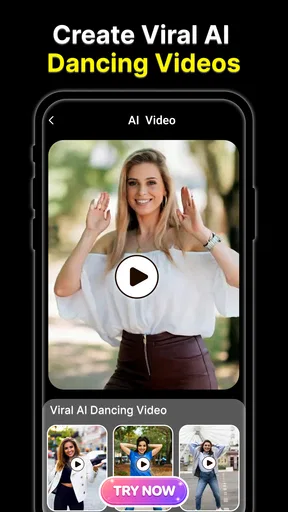
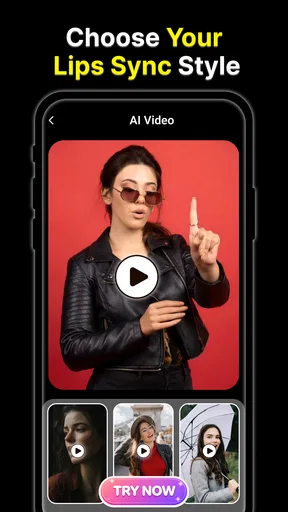
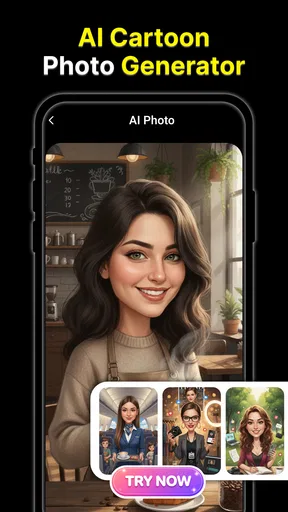
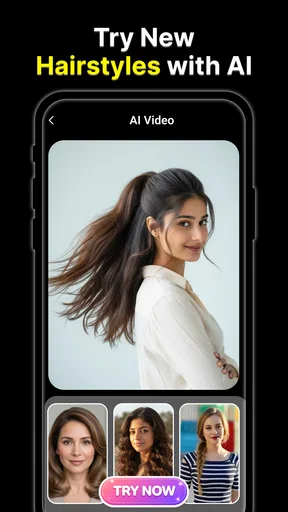
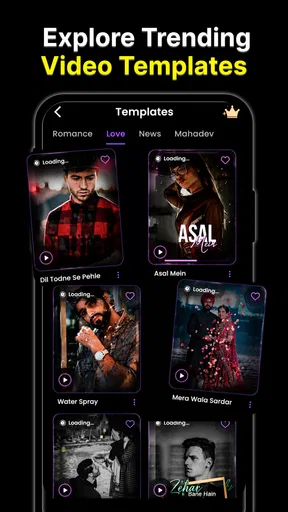
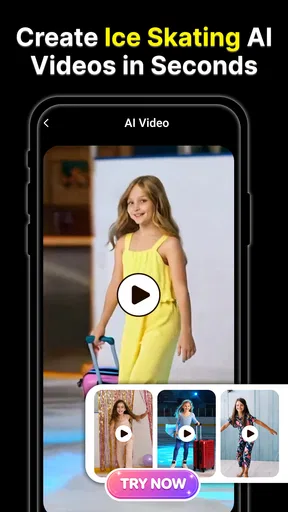
Our Review of AI Photo Video Maker
 Analysis by Appyee
Mobile video editing is easiest when the process fits the moment: choose a few clips, shape them into something coherent, and share without turning a quick idea into a complicated project. That is the appeal I see in AI Video Maker With Music. It is a video-making app from Aquaworld Infotech, aimed at people who want help combining visuals and music rather than a full editing workstation. Its AI-led approach sounds most useful when I have a clear occasion in mind but do not want to build every cut and transition by hand.
Connectivity is part of that experience, especially when an app involves media selection, music choices, or sharing. I would plan a session around a reliable connection when I expect to browse options or send a finished video out. That does not mean every step necessarily depends on a network; it simply makes sense to avoid leaving the whole task until a rushed moment with weak reception.
When a connection can shape the workflow
For a short birthday montage, a weekend recap, or a quick clip for a group chat, I would gather the photos and videos first, then start editing when I have enough time to review the result. That small change in order matters: it keeps the creative part focused on choosing a story instead of interrupting it to hunt through the camera roll. If the app offers suggestions during editing, I would treat them as a starting point and check that the music and pacing suit the people and occasion in the video.
Network conditions can also affect the last mile. A finished edit may still need time to export or move into a sharing workflow, so I would not begin a project just before walking into a place with poor reception if I need to post immediately. When timing matters, make the video earlier and leave a buffer for reviewing it and sharing it. It is a practical habit for any mobile editor, and particularly helpful when a project involves music or automated assistance.
Useful on a phone, with realistic limits
The phone-first appeal is easy to understand: I can turn ordinary camera-roll material into a compact video without learning a desktop timeline. That makes this kind of tool a sensible fit for casual creators, family recaps, simple social posts, and anyone who prefers guided choices to adjusting every edit manually. It is less compelling for a filmmaker who needs precise control over every frame, detailed audio mixing, or a carefully managed multi-track project. In those situations, a conventional timeline editor is the better tool, even if it takes longer to learn.
A useful way to get a better result is to choose a small, related set of clips rather than feeding in every image from an event. A tighter selection gives any automated arrangement a clearer theme and makes it easier to spot a shot that does not belong. I would also watch the video once with the sound on and once with it muted: the first check catches music or mood mismatches, while the second reveals whether the visuals still tell the story on their own. Those two passes are quick, but they can prevent a polished-looking edit from feeling confusing.
What to consider before sharing
Direct sharing can be convenient, but I prefer to review a saved result before posting it anywhere. Check the opening and ending, confirm that text is readable on a small screen, and make sure the chosen music feels appropriate for the audience. If the destination has its own format or length expectations, it is worth checking those before editing rather than discovering a mismatch at the final step. This is especially useful for a video intended for a particular social platform, where a layout that looks fine in an editor may not be the best fit after posting.
I would also be selective about what goes into a project. A family video may include names, faces, or places that are not meant for a public audience, so decide who should see it before using a direct sharing option. This is not a special warning about this app; it is a sensible habit whenever personal photos and video are being edited on a phone. Keeping the source material organized and choosing only what the finished story needs can make the process both faster and more comfortable.
Picking the right tool for the job
Compared with a basic phone editor, an AI-oriented maker is appealing when I want guidance and a quick visual style without setting every transition myself. Compared with a full-featured editor, the trade-off is control: manual tools generally suit detailed timing and layered sound better, while an assisted workflow is more approachable for a casual montage. I would choose based on the job, not on the promise of automation. A spontaneous recap is a good match; a project with exact cuts, captions timed to speech, or a carefully mixed soundtrack calls for more hands-on editing.
There is also a useful middle ground: let the app help assemble a first draft, then spend my attention on the parts a template or automated suggestion cannot judge for me. The important moment, the person who should appear first, and the ending that feels natural are editorial choices. I would rather make those decisions deliberately than assume that an automatic arrangement understands the context of a family gathering or a small business update.
In everyday use, that might mean selecting a handful of clips from a child’s school event after getting home, making a short recap while the details are fresh, and sharing it privately with relatives after checking the result. If reception is unreliable, I would wait until I am back on a stable connection for anything that needs online loading or sharing, rather than repeatedly restarting the same step. Keeping a modest project scope also helps: a focused set of moments is easier to review and less likely to become an editing chore.
People often want to know whether an app like this is suitable for a first video, whether it can replace a more advanced editor, and whether it makes sense for occasional use. My view is that it can be a friendly starting point if the goal is a simple, music-led result, but it should not be mistaken for a professional post-production suite. Occasional creators can benefit from guided editing without committing to a steep learning curve; people who need repeatable, precise control may outgrow it quickly. I would test the workflow with a low-stakes clip before relying on it for an important event.
Getting Started
First things first, downloading the AI Video Maker With Music is straightforward. Once you have it on your device, opening up the app feels like stepping into a world of creativity. You’re greeted with a simple interface that’s not overwhelming at all. Everything is laid out in a way that says, "Hey, you can do this!"
Features That Stand Out
One of the coolest things about this app is its AI-powered editing. It literally takes your clips and photos and does a bit of movie magic. You select the media you want, and the AI suggests edits, transitions, and even music that best suits your vibe. It’s like having a tiny Spielberg inside your phone!
Speaking of music, the app comes loaded with a vast library of tracks. You can choose from various genres, and the AI even suggests music based on your video’s mood. No more searching for hours to find that perfect track. Just a few taps, and voila!
User Experience
The app runs smoothly on both Android and iOS, which is a plus if you’re like me and switch devices often. The developers clearly put a lot of thought into the user experience. Everything feels intuitive, and the app rarely lags, which is crucial when you’re in the flow of creativity.
"It feels like the app just gets me," I found myself thinking as I used it more and more.
Sharing Your Masterpiece
Once your video is ready, sharing it is a piece of cake. The app allows direct uploads to social media platforms, so you can instantly showcase your creation to the world. Plus, the export quality is top-notch, something that’s not always guaranteed with mobile editors.
If you’re someone who loves to add personal touches, this app offers customization options like filters, text overlays, and more. It’s perfect for those who want to experiment and make their videos truly unique.
Final Thoughts
In a nutshell, AI Video Maker With Music is an app that makes video editing fun and accessible. Whether you’re a newbie or someone with a bit more experience under your belt, there’s something here for you. It’s not just an app; it’s a creative partner that helps bring your ideas to life without the hassle.
If you’re ready to dive into the world of video creation, give this app a try. Who knows? You might just discover a hidden talent for filmmaking!
Price, version, and fit
The app is free to install, with optional in-app purchases priced from $3.49 to $19.99 per item. I would start with the free experience and decide whether the workflow genuinely saves time before paying for anything. A 3.9 average from around 1.5 thousand ratings and more than 1 million installs suggest that many people have tried it, though those figures alone cannot tell me whether its particular style suits my projects. It is rated for Everyone, and version 1.58 requires Android 7.0 or later.
For me, the best reason to try it is not that AI can make every creative decision, but that it may make the first draft less intimidating. The best reason to pause is if I need detailed editing control or depend on a predictable, carefully timed publishing workflow. I would use a dependable connection for the parts that involve loading options or sharing, keep the first project short, and judge the result by whether it tells the intended story. Used that way, it is a practical option for quick, personal videos rather than a replacement for a dedicated editing setup.
Verdict
Strengths of AI Photo Video Maker
- User-friendly interface for quick edits.
- Wide range of music tracks available.
- High-quality video output options.
- Fast rendering speeds for videos.
- Supports various video formats.
Limitations of AI Photo Video Maker
- Limited advanced editing tools.
- Occasional ads disrupt workflow.
- Some features require in-app purchases.
- Limited customization for music tracks.
- May not support all file types.
Other Releases by Aquaworld Infotech
View All
Langla: AI Language Tutor
Education4.5
Similar Picks in This Category
View All
Google TV
Google LLC3.9

iTunes
Apple4.7

YouTube
Google LLC3.8

MX Player
Amazon Mobile LLC4.2

CapCut - Video Editor
Bytedance Pte. Ltd.3.5

PLAYit-All in One Video Player
PLAYIT TECHNOLOGY PTE. LTD.4.5
Frequently Asked Questions
What features does the AI Video Maker With Music offer?
The AI Video Maker With Music provides a range of features including automatic video creation from photos and clips, AI-powered editing tools, a rich library of music and soundtracks, customizable templates, and real-time preview. It also supports high-resolution exports and social media sharing, making it ideal for both personal and professional use.
Is the AI Video Maker With Music user-friendly for beginners?
Yes, the AI Video Maker With Music is designed with a user-friendly interface that caters to beginners. It offers step-by-step guidance, intuitive drag-and-drop functionalities, and AI-driven suggestions to simplify the video creation process. Even users with no prior video editing experience can produce high-quality videos efficiently.
Can I use my own music and media files in the app?
Absolutely! The AI Video Maker With Music allows users to import their own music and media files, providing a personalized touch to their creations. You can easily integrate your personal audio files, photos, and video clips, ensuring your videos are unique and reflective of your personal style or brand identity.
Does the app support various video formats for export?
Yes, the AI Video Maker With Music supports multiple video formats for export, including popular options like MP4, MOV, and AVI. This versatility ensures compatibility with various platforms and devices, enabling users to share their videos effortlessly across different social media channels or store them on their devices.
Are there any in-app purchases or subscriptions required?
The AI Video Maker With Music offers a basic version for free, which includes a selection of features and templates. However, to access premium features, such as advanced editing tools and exclusive music tracks, users may need to make in-app purchases or subscribe to a monthly or yearly plan. These options provide enhanced functionality for more professional results.
